 VexelRay
Pix
An image viewer: one picture, as large as the window allows, and the rest of its folder a key press away.
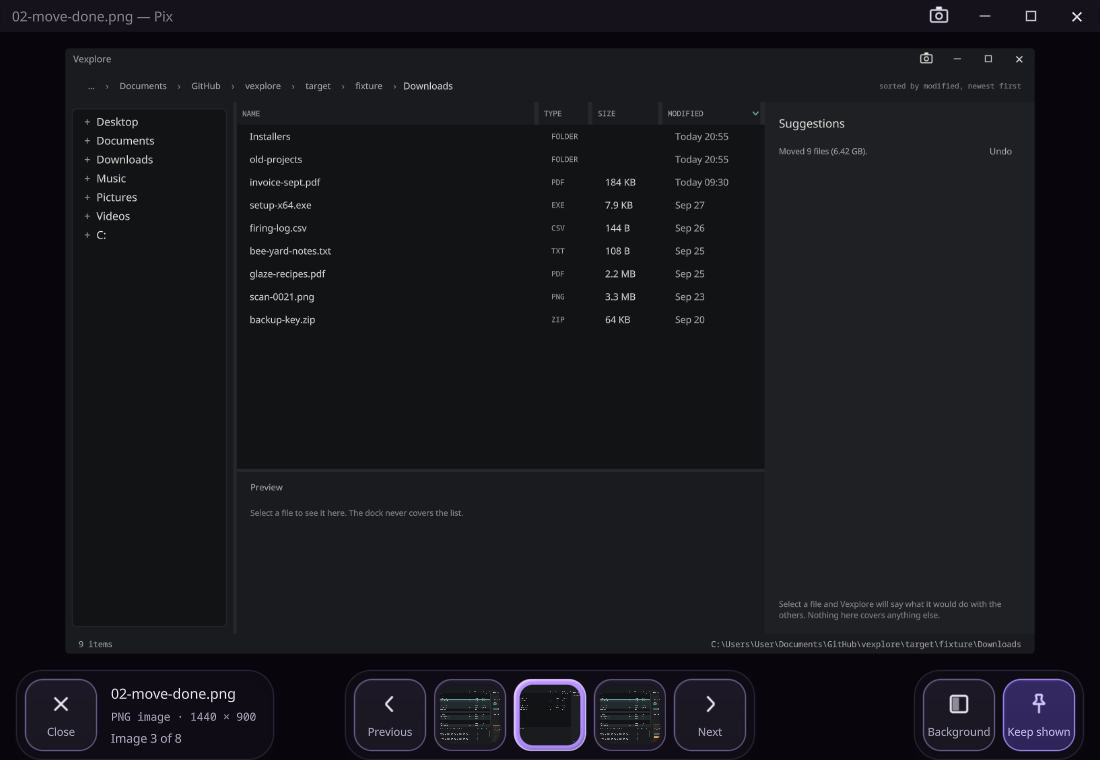
Open a picture and Pix shows it whole, never enlarged past its own pixels, with the folder it is in one arrow key away. The picture is never covered: the controls have their own room under it, and fade when the pointer rests.
Opening one
- Ctrl+O, the Open tile, or a click on the picture’s name opens a picture, and its folder comes with it.
- Ctrl+Shift+O opens a folder on its first image.
- Both use the system’s own dialogs, starting in the folder that is open. Started with nothing, Pix shows the first image in your Pictures folder.
Stepping through a folder
- ← and →, Page Up and Page Down step to the previous and next image; Home and End go to the first and the last. The new picture slides in from the side it came from.
- Holding a key is cheap. The counter moves at once, and only the picture it stops on is decoded. The next ones are read ahead, and recent ones kept, so going back is instant.
- The filmstrip under the picture shows its neighbours; a click on one shows it.
- Images are in name order, with numbers compared as numbers, so
IMG_9comes beforeIMG_10.
Formats
PNG, JPEG, GIF, WebP, AVIF, BMP, TIFF, SVG, ICO and the rest, animated where the file is. A file that is not a picture, or will not decode, says why in place of the picture. Nothing in a file is ever run.
The view
- Background: dark, light, a checkerboard for transparency, magenta or green, across the whole window.
- Keep shown stops the controls fading. Moving the mouse, a click or Tab brings them back.
- Esc closes the background menu if it is open, and otherwise closes Pix.
With the rest of the suite
Open a picture in Vexplore and it goes to Pix. Without Pix, Vexplore shows it in a viewer of its
own, which is the same viewer. pix <file> opens a picture and pix <folder> the first one in a folder.
Status
Viewing and stepping through a folder work. Zoom, pan and rotate are not done yet, and nothing in Pix changes a file. It is part of the 0.1.0 prerelease.