 VexelRay
Vexplore
A file explorer that suggests instead of asking.
Click one file and Vexplore offers what you probably meant next: all the videos here, only the ones from today, move them to your Videos folder. Every suggestion says what it will affect before you take it, and taking none of them costs nothing. The list does not move, and nothing covers it.
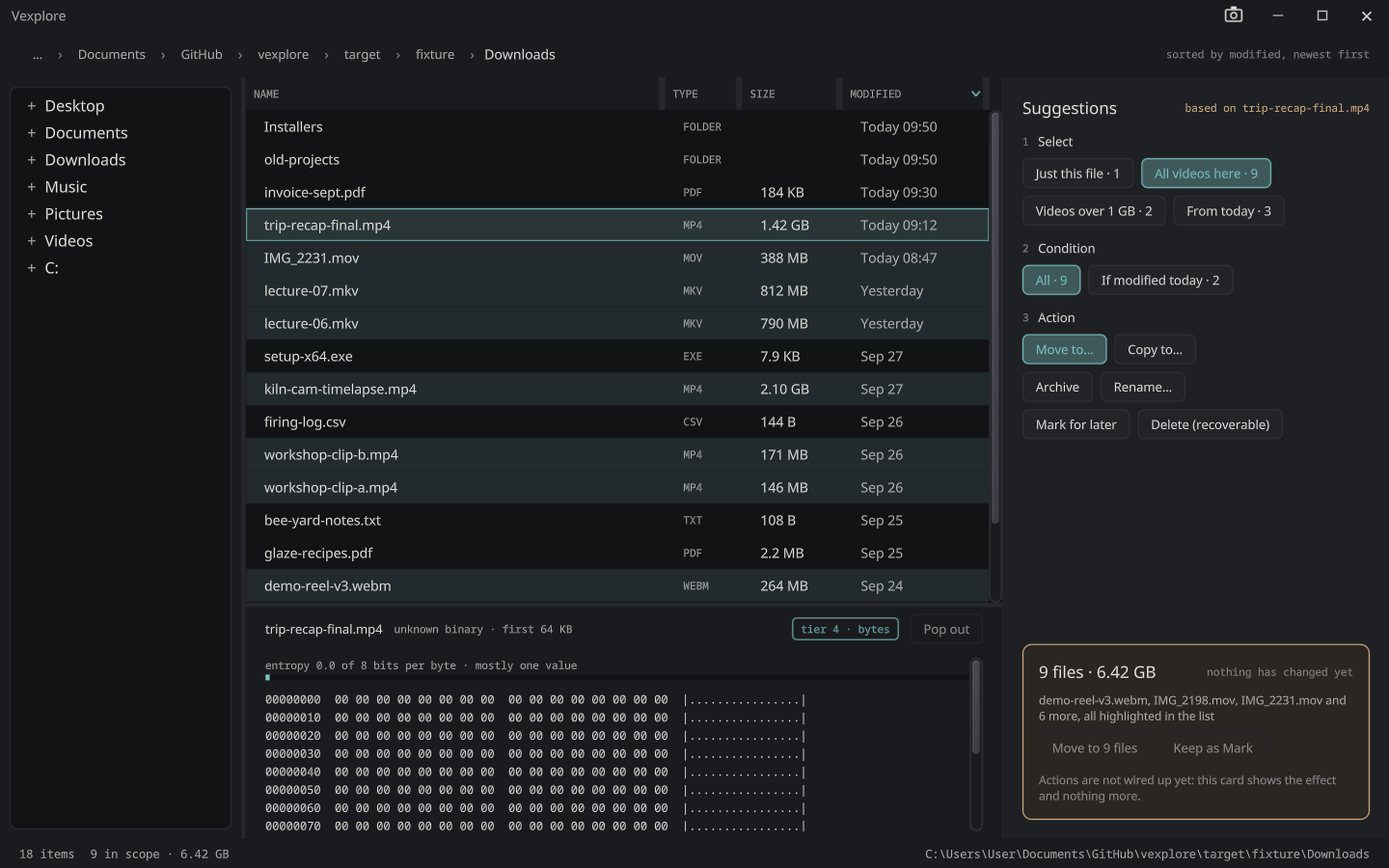
A few clicks, not a dialog
The rail beside the file list asks the questions a file operation needs, in order, as buttons:
- Select: just this file, all of its kind here, the big ones, today’s.
- Condition: all of them, or only those modified today.
- Action: move, copy, archive, mark for later, or delete.
- Destination, for a move or a copy: pictures are offered your Pictures folder and videos your Videos folder, then the folders nearby that already hold that kind. A mix of files sitting in Desktop, Downloads or Documents is also offered a new compressed archive. Choose folder… comes last, for anywhere else.
The rows a suggestion would reach are marked in the list, not selected, so you see the reach before you commit to it. Hold Shift to see where a range probably ends, or Control to see the rule your picks are examples of.
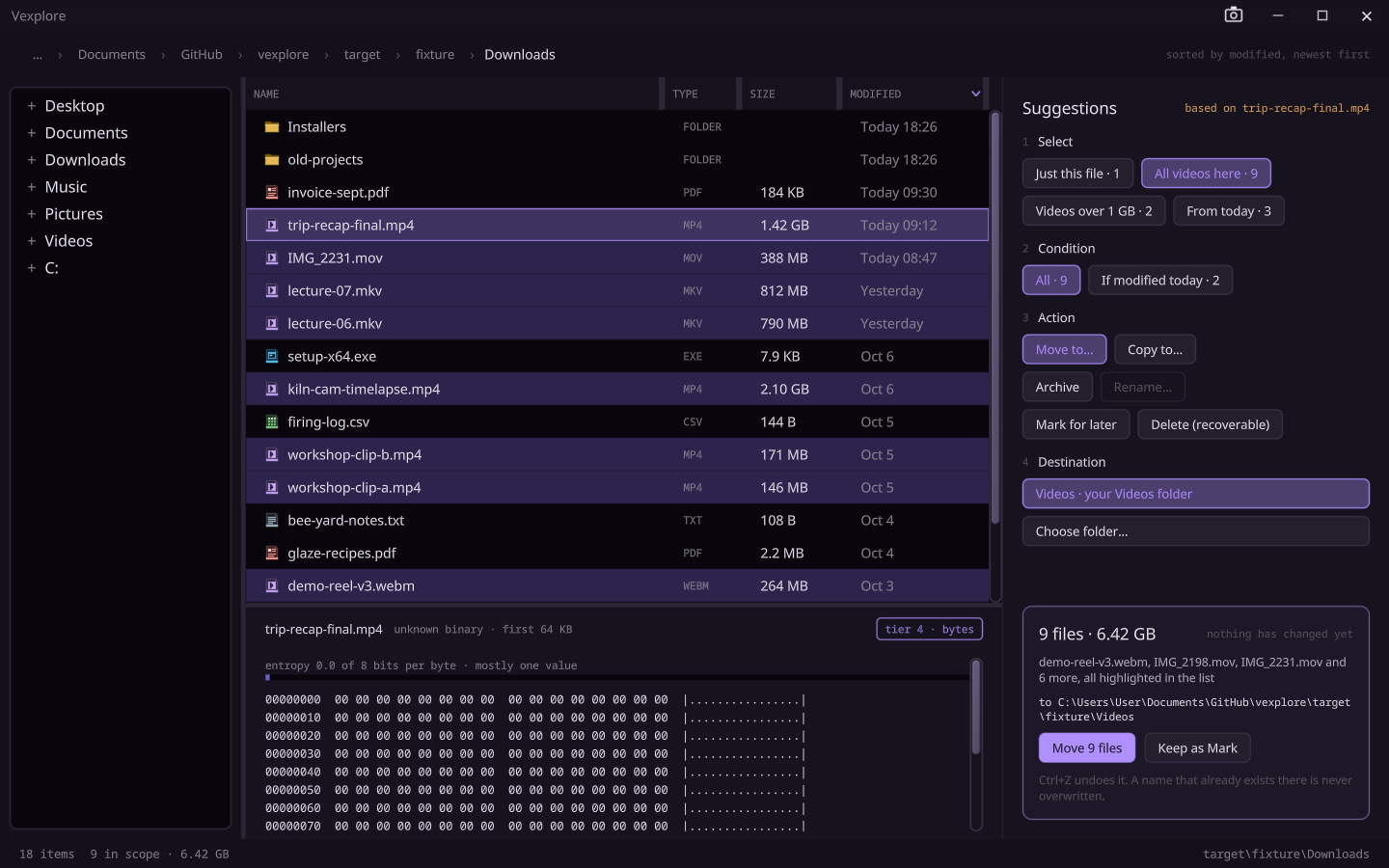
Nothing it does is final
- It states the effect first. Before anything runs, the card gives the counts, the bytes, where they go, and what would be left alone and why.
- Every action can be undone, with Ctrl+Z or the Undo button: move, copy, archive, delete and mark. Ctrl+Y does it again.
- Delete is recoverable. It goes to Vexplore’s own trash, not straight off the disk.
- A name that already exists is never overwritten.
- It never freezes. Large operations run off the drawing thread, so the window keeps answering.
With the rest of the suite
Open a text or source file and it goes to Vex in a new window, and a picture goes to
Pix. Anything else goes to whatever Windows normally opens it with. vexplore <folder> opens a
folder, and vexplore <file> opens the folder it is in with that file selected. That is how
the editor’s Open in Vexplore works.
Status
Browsing, the suggestion rail, the five actions and undo work. Rename, drag and drop, and inline previews are not done yet. It is part of the 0.1.0 prerelease.